

















How to Create an Internet Radio Station from Scratch (The Definitive Guide 2026)
How to Create an Internet Radio Station from Scratch (The Definitive Guide 2026)
Having your own radio station no longer requires giant antennas, expensive government permits, or complex recording studios. Today, anyone with a computer, an internet connection, and the right service provider can broadcast their voice and music to thousands of listeners around the world.
If you’ve always wanted to create your own show, launch a radio station for your community, or monetize your passion for music, you’ve come to the right place. In this step-by-step guide, we’ll explain how to create an online radio station from scratch—without any technical headaches.
Step 1: Define the concept for your radio station
Before connecting the cables, you need a clear idea. The most successful internet radio stations are those that target a specific niche (e.g., ’80s rock, grupera music, sports talk, or personal growth). Decide on a name for your station and the type of audience you want to reach. This will help you create your logo and determine what kind of content you’ll be broadcasting.
Step 2: The Basic Equipment (You Don’t Need to Spend a Fortune)
Many beginners think they need consoles that cost thousands of dollars to get started. The reality is that for your first stream, all you need is:
A standard computer: It can be a PC or a Mac.
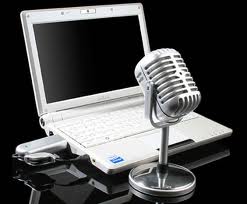
A good-quality USB microphone: Models like the Blue Snowball or the Audio-Technica ATR2100x are excellent choices for getting started without needing external mixers.
Streaming software (encoder): Free programs such as OBS Studio, BUTT, or RadioBOSS allow you to capture your voice and send it to the server.
Step 3: The Secret to Successful Radio Stations (AutoDJ)
What happens when you have to go to sleep or head to work? Your radio can’t just go silent. That’s where the magic of AutoDJ comes in. It’s a cloud-based system that lets you upload your MP3 files, create playlists, and have music play automatically 24/7—without having to leave your computer on at home.
Step 4: Sign up for a high-quality streaming server
This is the step where 90% of new radio stations fail. They sign up for cheap or free servers, and right in the middle of their best show, the broadcast cuts out, has an echo, or simply goes offline.
To broadcast professional-quality radio, you need a server with SHOUTcast or Icecast technology, hosted on high-speed drives and backed by technical support that’s available whenever you need it.
Why Choose MexiServer for Your Internet Radio Station?
At MexiServer, we’ve been hosting hundreds of radio hosts and stations throughout Mexico and Latin America since 2011. We’re not just fly-by-night resellers.
When you sign up for a radio streaming plan with us, you get:
Zero downtime: Stable servers hosted on ultra-fast NVMe drives.
AutoDJ included: Upload your music and stream 24 hours a day without having to keep your PC turned on.
Easy-to-use control panel: Create your own DJs, see how many live listeners you have, and control your radio station from your cell phone.
Live Support: If you get stuck setting up your microphone, our team will walk you through it step by step.
Don’t put off your project. Start streaming today with the infrastructure that professionals use.
👉 CLICK HERE to view our radio streaming plans and activate your station instantly.
